Thursday, April 5, 2012

Get PR Like Lady Gaga

Get PR Like Lady Gaga

Lady Gaga is a celebrity phenomenon. She rose to stardom on the wings of social media and has achieved so much in little time compared to her predecessors. Consider this:
  • she has over 20 million Twitter followers
  • almost 50 million people have liked her Facebook page
  • she has won 5 Grammy Awards, among many other music awards
  • in 2011, Forbes named her the #1 most powerful celebrity and #7 on its list of most powerful women
  • she is estimated to have earned over US$90 million as of August 2011
If that’s not enough, the University of South Carolina has created a course, “Lady Gaga and the Sociology of Fame.”
Clearly, we can learn a thing or two from someone who has accomplished so much. What can Lady Gaga teach us about getting PR in a social media-driven world?

7 PR TIPS YOU CAN LEARN FROM LADY GAGA

1. Start with a good product
Lady Gaga is not the greatest singer who ever lived. Her songs are not the best ever composed. But there’s no denying her talent.
She is classically trained in piano, and has played lead roles in school plays throughout childhood. She also writes her own music, designs her clothes, and masterminds her marketing.
PR Lesson:
It’s much harder for PR to succeed if the product is poor to begin with. But start with a good product, a product that customers would actually pay for and there’s no telling where you can go.
2. Stand out from the competition
From her meat dress to explicit videos, Lady Gaga is not afraid to shock and stir controversy. As we’ve said before, controversy is always newsworthy fuel for PR.
PR Lesson:
Don’t be afraid to ruffle feathers if it means being true to your brand.
3. Have a message and speak it boldly
Lady Gaga’s music and fashion choices all say the same message: Be yourself, accept who you are, including your weirdest quirks. This consistent message has resonated with her audience and turned them into wildly loyal “monsters”.
PR Lesson:
Know what you, your brand, and your product stand for, and shout it from the mountaintops.
4. Give up control
Unlike other artists, Lady Gaga allows everyone to post her music all over the Internet without asserting her copyright. As her music earnings show, this wide online piracy hasn’t hurt her earnings at all.
PR Lesson:
Once you create content and unleash it to the world, you often cannot control who uses that content. This is not always a bad thing – by others spreading your content and your message far and wide – you might reach your sweet spot of paying customers, much faster.
5. Make your own news
Perez Hilton, one of the entertainment media who first took notice of Lady Gaga, says she caught his attention through a video she made herself, independently of her record label.
PR Lesson:
Don’t rely on traditional media gatekeepers and producers to publish content about you. The tools are available today for anyone to create their own content. Keep your content platforms — blog, YouTube channel, Facebook page, etc — fresh with new updates and relevant content. Time and time again, I see that it can take just one “tastemaker” or “influencer” to make a brand’s marketing content go viral (which can then translate to sales).
6. Reach new audiences through partnerships
Famous as she is, Lady Gaga willingly shares the limelight with the likes of Tony Bennett, Elton John, Cher, and Beyonce. No doubt these collaborations helped Lady Gaga reach new audiences and make new fans out of them.
PR Lesson:
Reach out to businesses that complement yours, so you can widen your audience reach. While you may be set about who your target customers are, partnerships allow you to tap into audiences you’ve never thought of, who would buy your product or service – if they just knew about you.
7. Persevere
We tend to think of success stories as happening overnight, without realizing all the time and hard work it took for the success to happen. Few know, for example, that Lady Gaga started out playing in small lounges in NYC.
PR Lesson:
Don’t get discouraged if at first you don’t see results from your PR efforts. The seeds you plant now, especially in social media, will bear fruit eventually, and for many years to come. That said, it’s essential to keep track of what does work and keep doing more of it.

Tuesday, April 3, 2012

Designer Picks: Favorite Fonts

Designer Picks: Favorite Fonts

Lindsey and I sat down and rifled through our extensive font library to choose our favorite fonts. We use Suitcase Fusion 3 to manage our font library. While you can go as far as to classify your fonts into very specific subgroups (SERIF – Old Style, Transitional, Modern, Slab Serif andSANS-SERIF – Grotesque, Transitional, Humanist, Geometric), we found that a more intuitive form of organization works better. We’ve divided our fonts into folders including Sans Serif, Serif, Script Formal, Script Casual, Hand-Inked Refined, Hand-Ink Rough, Distressed, Ornaments, Playful, Western-Circus, Whimsical, and even Script Serif for hybrid fonts, likeMemoriam Pro, that aren’t purely Script and not quite Serif. The pie chart below represents how we’ve organized our library. If you’re in a design crunch, you may be inspired by some of the choices we included in our typography infographic.
030612_Designer_Favorites_Favorite_Fonts_header
030612_Designer_Favorites_Favorite_Fonts_Pie_Chart
030612_Designer_Favorites_Favorite_Fonts_Serif_Sans
030612_Designer_Favorites_Favorite_Fonts_Divider
030612_Designer_Favorites_Favorite_Fonts_Hand_Drawn
030612_Designer_Favorites_Favorite_Fonts_Divider
030612_Designer_Favorites_Favorite_Fonts_Script
030612_Designer_Favorites_Favorite_Fonts_Divider
030612_Designer_Favorites_Favorite_Fonts_All_Star

Monday, April 2, 2012

Marketers Accelerate Social Display Ad Spending - eMarketer

Marketers Accelerate Social Display Ad Spending - eMarketer


Marketers, agencies to spend more display ad budget on social networks than with publishers this year

Many marketers are still learning to use social media to achieve online marketing objectives, but findings from advertising industry research firm Advertiser Perceptions shows they are gaining confidence when it comes to display ad buying on social networks.
More than half (59%) of US marketers and agencies planned to increase their social media display ad spending on sites like Facebook in the next 12 months. In comparison, less than a third (31%) planned to boost display ad spending on ad networks and exchanges, and just 29% expected to do so on publisher sites.

Change in Online Display Ad Spending in for Select Platforms in the Next 12 Months According to US Marketers and Agencies, Nov 2011 (% of respondents)

The number of US marketers and agencies anticipating spending increases for social media advertising was more than double that for demand-side platforms (DSPs), a programmatic method of purchasing display ads many industry professionals herald as the future of ad buying. The complexity of purchasing inventory through these platforms and the inability to ensure brand-safe content placements could be two reasons 14% of respondents actually planned to decrease their DSP budget.
eMarketer estimates US online display ad spending will grow 24.1% this year to $15.4 billion. This estimate includes spending on banners, rich media, sponsorships and video purchased across all major display ad inventory providers (e.g., publisher sites, networks, exchanges, DSPs, etc.) as well as social networks and mobile.
Growth in social network and mobile display ad spending will be steeper than for general display. Investment in paid advertising across social network sites, games and applications is expected to climb 43% this year, with mobile display ad spending jumping 80%.

Growth of US Online Display Ad Spending, Social Network Ad Revenues and Mobile Ad Spending, 2012 (% change)

With investment in social and mobile display ads low relative to general display ad spending, social and mobile certainly have room to grow.
Advertiser Perceptions found marketers keen to grow social display ad spending to a greater portion of their display ad budget. Within the next year, they expect online display ad spending on social networks to merit a greater share (27%) of their total display ad budget than traditional purchase channels such as publisher sites (26%) and ad networks and exchanges (20%).

Past and Future Online Display Ad Spending Share for Select Platforms According to US Marketers and Agencies, Nov 2011 (% of budget)

David Hallerman, principal analyst at eMarketer, already sees this trend playing out for marketers. “Social display advertising’s relative underutilization compared to the rest of the web is encouraging marketers to ramp up their spending,” he said.
Hallerman expects this ramp-up period to lower display inventory pricing, which has the potential to offer marketers cost savings or even greater reach with their current budget. Whether that type of pricing will be sustained in the face of increased advertiser competition or as richer—and more costly—display ad formats like video mature, only time will tell.
Corporate subscribers have access to all eMarketer analyst reports, articles, data and more. Join the over 750 companies already benefiting from eMarketer’s approach. Learn more.

15 Must Know Tips to Rock Your New Facebook Timeline Business Page | Social Media Today

15 Must Know Tips to Rock Your New Facebook Timeline Business Page | Social Media Today

Yup, Facebook did it to us again. This time they have added the new timeline to business pages. With it come both good and bad changes.  As I wrote in this earlier post “ Quit Blaming Facebook and Fix Your Own Marketing Problems” it’s important you don’t waste too much time complaining. Instead use that same negative energy and turn it into a positive. Use it as a lesson for not putting all of your social eggs in one basket!
The best thing you can do is stop complaining and get to work. The new Facebook business page timeline is here to stay at least until they decide to make the next round of changes. Might as well get use to it and make the most of it!
Below are some must know tips as well as loads of Facebook reference urls at the bottom to hopefully save you some time in case you get stuck or have further questions.
Note, there are more changes than what I included in this blog post. For this post I tried to keep it specifically focused on the “need to know” changes.
facebook5121 300x300 15 Must Know Tips to Rock Your New Facebook Timeline Business Page

15 Must Know Tips to Rock Your New Facebook Timeline Business Page

1. Know the dates.

The new Facebook timeline is set to launch on all business pages March 30, 2012.  You can start playing with your new page now and see it in preview mode before actually pushing live. I encourage you to do this as soon as possible. Don’t wait until the last minute and then be stuck with a boring page that shows you were not prepared.


2. Create a new Facebook timeline cover image.  

The cover image provides amazing opportunities for branding and to visually inspire and connect with your fans. The options are endless as long as you stay within the Facebook guidelines outlined in #3 below.
Create several different timeline covers so you can provide a fresh and inspiration experience for your timeline visitors!
Image dimensions: 851 x 315
Download a free template I created in both Adobe Photoshop and Adobe Illustrator formats here.
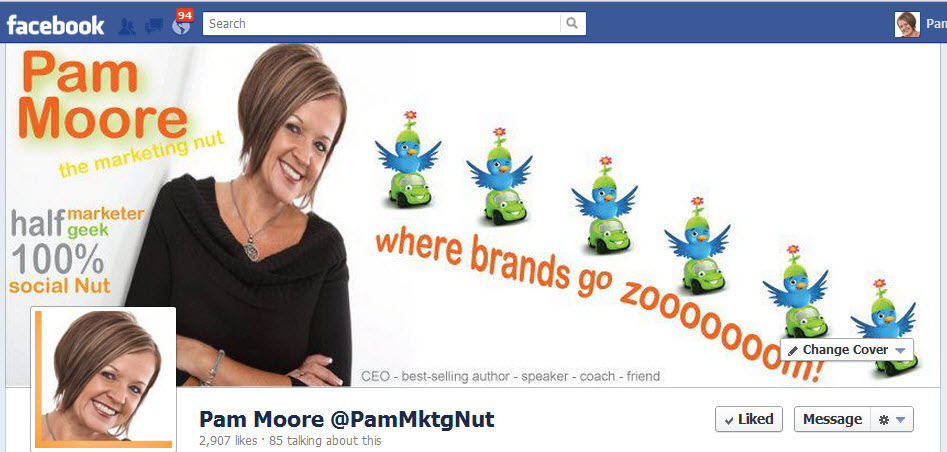
pmncover 300x143 15 Must Know Tips to Rock Your New Facebook Timeline Business Page

smart kid small 218x300 15 Must Know Tips to Rock Your New Facebook Timeline Business Page3. Know the Facebook cover image content guidelines (rules).

 Facebook has set pretty strict guidelines for what can and can’t be displayed and communicated on the new timeline cover image.
What you CAN do:
  • Brand the heck out of your company, book or personal brand. This include brand images, logos, photos and any other visual marks.
  • Inspire your audience with visually appealing graphics, colors and images.
  • Use simple language that will help you inspire and connect with your fans.
What you can NOT do: (Per Facebook cover guidelines)
  • Price or purchase information, such as “40% off” or “Download it at our website”
  • Contact information, such as web address, email, mailing address or other information intended for your Page’s About section
  • References to user interface elements, such as Like or Share, or any other Facebook site features
  • Calls to action, such as “Get it now” or “Tell your friends”
Basically the cover image is provided to inspire and connect with your fans. It is not meant for blatant self promotion or hard sales.
*Obviously make sure you have legal copyrights to all images and content.

4. No default landing tabs. 

You can no longer set a tab as a default landing tab. Now before you go off on a wild rant about how terrible this is, remember this is a post designed to help you move forward and do good things with your new Facebook timeline.  Got it? Okay, great! Now here are a few things you CAN do:
  • Maximize use and space of cover image.
  • Use the unique urls of apps to direct people directly to the app from pages outside of Facebook as well as posts, status updates within Facebook.
  • Maximize use of the top apps shown underneath your cover photo.
  • Use the apps for call to actions and to engage your fans.
  • Use this as an excuse to get out of your box and focus on truly inspiring and connecting with your audience

5. Tabs are now Apps! 

Apps are the new tabs. Although you can’t set one as a default landing tab for new visitors to your Facebook page, there are still many ways you can leverage apps.
  • 4 apps are always on display underneath your Facebook cover image.
  •  You can utilize a max of 14 custom apps on your timeline.
  • Create a custom thumbnail for your app. (see #7 below)
  • Apps have a unique url that can be used to drive traffic to a specific app (see #6 below).

iStock 000012552769XSmall1 300x225 15 Must Know Tips to Rock Your New Facebook Timeline Business Page6.  Use a unique url in place of landing tabs. 

Although you can no longer set a default landing tab, you can still easily get around this.  Since each app has it’s own unique url you can use the unique url to direct traffic from inside or outside of traffic to a specific app.
I suggest purchasing a unique url that you can use to drive traffic to your Facebook app of choice.  For example, I purchased the domain www.pamsfanpage.com and use to use it to direct traffic directly to my default landing tab. Now I will use it to drive traffic to an app of my choice.  The best part of using a domain that you own is that no matter how many times Facebook changes the apps, tabs, timelines, pages or other, you can stick to one or two urls that you use on a regular basis.

7. Create custom thumbnails for apps. 

It is super easy to create a custom thumbnail image for each and every app. Note custom images can not be set for photos and likes.
a. Create an image that is 111  x  74 pixels.
b. Click on the arrow to the right of your timeline (underneath the cover image). It will show a number which represents the number of apps you are using.
c. Click on the arrow next to the image of the app you want to change.
d. Click on edit settings.
e. Click on change (for the image)
f. Upload the new image


iStock 000011571924XSmall3 300x300 15 Must Know Tips to Rock Your New Facebook Timeline Business Page8. Fans can now send you a private message. 

You can not message your fans. The messsages are user (fan) initiated.  Messages are a good way to encourage one to one communication if you have an interest in doing such with your fans.

9. Milestones

You can set milestones for your business for current, or past dates. This is a great way to highlight key events such as grand opening, ribbon cuttings, launch of new products, new partnerships, business milestones and achievements.  Milestone images are 843 x 403 pixels.
a. Click Milesone in the sharing bar at the top of your page
b. Add a headline, date, location and details
c. Choose to add a photo
d. Click Save


10. Highlighted Posts. 

You can set any post to be highlighted which means it will take up both sides of the page. I know, the name “highlight” just doesn’t make sense to me either. I expected to see some type of real highlight. This feature enables you to bring special attention to a particular post within the timeline.


11. Pinned Posts.

You can set a post to be pinned to the top of the page. Pinned posts will stay on top of your timeline for up to 7 days.If possible, try not to wait the full 7 days before you change out the post unless you have a very important message to share. Chances are you have repeat visitors coming to your page throughout the week. Give them something new and fresh to check out.


iStock 000014250706XSmall1 300x225 15 Must Know Tips to Rock Your New Facebook Timeline Business Page12. Like button and interest lists. 

The like button will now show as “liked” for all fans who have already liked the page.
There are also new interest lists that can be accessed with a simple hover of the like / liked button.  You can create your own list as well as subscribe to lists the page owner has created.
Users can also select if they want to see your posts in their timeline right from your Facebook timeline by hovering over the same like button.
I will do more research on these feature and provide further detail in a subsequent post.

13. Know the required image sizes.

iStock 000016860317XSmall 300x225 15 Must Know Tips to Rock Your New Facebook Timeline Business PageNo need to over complicate this. Note the required image sizes and jot them down on a sticky. Stick it to your computer monitor and you won’t have to look them up or worry about forgetting them.
  • Cover photo: 851 x 315
  • Profile picture: 180 x 180
  • Thumbnail image for apps: 111 x 74
  • Highlighted & milestone images: 843 x 403
  • Images within wall posts display as 404 x 404.


14. It’s what happens after the “like” that matters most. 

Don’t get too hung up on all these changes. If you are focusing on only “likes” then you have much bigger problems than the Facebook default tab going away.
As I always say, it is what happens after the like that matters most. Check out this post I wrote in December, 2010 which still stands true today for tips to engage your audience after the like!  “What Happens After the Facebook Like? 20 Tips to Engage Your Audience After the Like!

15.  Don’t freak out. 

The worst thing you can do is go into “freak out” mode. If you are completely freaked out over these changes then you really need to do the “double think” on your online marketing strategy. Remember, you do not own Facebook. Facebook can make any changes they see fit, whenever they decide to do so. It is a free platform and although you may have put too much weight into the platform for the success of your business, use the anxiety you feel today as a positive to move at least a few eggs out of the Facebook basket. Putting all your eggs in one basket is never a good thing, particularly when it is a basket you do not own!

Additional Facebook Resources: 

Below I have compiled numerous Facebook pages to help you get acquainted with the most recent changes as well as the standard guidelines for Facebook features such as advertising and promotions.
Start setup of a new Facebook Business Page: https://www.facebook.com/pages
The Facebook Blog: https://blog.facebook.com/
Facebook Marketing Solutions Timeline Page: https://www.facebook.com/marketing
Facebook Advertising Guidelines: https://www.facebook.com/ad_guidelines.php
Amended Facebook Pages Guidelines for State & Local Government in the United States: https://www.facebook.com/terms_pages_gov.php
Facebook Platform Policy: https://developers.facebook.com/policy/ (apps on pages must adhere to these)
Facebook Community Standards: https://www.facebook.com/communitystandards
Facebook Data Use Policy: https://www.facebook.com/about/privacy/
Facebook Statement of Rights & Responsibilities: https://www.facebook.com/legal/terms
Facebook Personal Timeline: https://www.facebook.com/help/timeline
Facebook Safety Timeline Page: https://www.facebook.com/security
Facebook Family Safety Center: https://www.facebook.com/help/safety

6 Habits of True Strategic Thinkers | Inc.com

6 Habits of True Strategic Thinkers | Inc.com

In the beginning, there was just you and your partners. You did every job. You coded, you met with investors, you emptied the trash and phoned in the midnight pizza. Now you have others to do all that and it's time for you to "be strategic." 
Whatever that means.
If you find yourself resisting "being strategic," because it sounds like a fast track to irrelevance, or vaguely like an excuse to slack off, you're not alone. Every leader's temptation is to deal with what's directly in front, because it always seems more urgent and concrete. Unfortunately, if you do that, you put your company at risk. While you concentrate on steering around potholes, you'll miss windfall opportunities, not to mention any signals that the road you're on is leading off a cliff.
This is a tough job, make no mistake. "We need strategic leaders!” is a pretty constant refrain at every company, large and small. One reason the job is so tough: no one really understands what it entails. It's hard to be a strategic leader if you don't know what strategic leaders are supposed to do.
After two decades of advising organizations large and small, my colleagues and I have formed a clear idea of what's required of you in this role. Adaptive strategic leaders — the kind who thrive in today’s uncertain environment – do six things well:

Anticipate 

Most of the focus at most companies is on what’s directly ahead. The leaders lack “peripheral vision.” This can leave your company vulnerable to rivals who detect and act on ambiguous signals. To anticipate well, you must:
  • Look for game-changing information at the periphery of your industry
  • Search beyond the current boundaries of your business
  • Build wide external networks to help you scan the horizon better

Think Critically

“Conventional wisdom” opens you to fewer raised eyebrows and second guessing. But if you swallow every management fad, herdlike belief, and safe opinion at face value, your company loses all competitive advantage. Critical thinkers question everything. To master this skill you must force yourself to:
  • Reframe problems to get to the bottom of things, in terms of root causes
  • Challenge current beliefs and mindsets, including your own
  • Uncover hypocrisy, manipulation, and bias in organizational decisions

Interpret 

Ambiguity is unsettling. Faced with it, the temptation is to reach for a fast (and potentially wrongheaded) solution.  A good strategic leader holds steady, synthesizing information from many sources before developing a viewpoint. To get good at this, you have to:
  • Seek patterns in multiple sources of data
  • Encourage others to do the same
  • Question prevailing assumptions and test multiple hypotheses simultaneously

Decide

Many leaders fall prey to “analysis paralysis.” You have to develop processes and enforce them, so that you arrive at a “good enough” position. To do that well, you have to:
  • Carefully frame the decision to get to the crux of the matter
  • Balance speed, rigor, quality and agility. Leave perfection to higher powers
  • Take a stand even with incomplete information and amid diverse views

 Align

Total consensus is rare. A strategic leader must foster open dialogue, build trust and engage key stakeholders, especially when views diverge.  To pull that off, you need to:
  • Understand what drives other people's agendas, including what remains hidden
  • Bring tough issues to the surface, even when it's uncomfortable
  • Assess risk tolerance and follow through to build the necessary support

Learn

As your company grows, honest feedback is harder and harder to come by.  You have to do what you can to keep it coming. This is crucial because success and failure--especially failure--are valuable sources of organizational learning.  Here's what you need to do:
  • Encourage and exemplify honest, rigorous debriefs to extract lessons
  • Shift course quickly if you realize you're off track
  • Celebrate both success and (well-intentioned) failures that provide insight

Social SEO Strategies to Start Using Right Now

Social SEO Strategies to Start Using Right Now

Google’s searchbots have long relied on humans to endorse relevant and useful links. Recently, however, Google upped the human ante by introducing Google Social Search.
Google recognizes that one personal endorsement from someone we know easily outranks endorsements from 10,000 strangers. The same applies for a trusted authority: a blogging link shared by Darren Rowse or Brian Clark carries more weight than something a casual user shares.
So as a result, we have Google Social Search: meaning a site can jump from #30 to #3 in the SERPs just because someone in your Google+ circles shared the link. Getting an RT from The Huffington Post can jump your blog post from #8 to #1. It’s a brave new world of social SEO – and it’s one that no SEO can afford to ignore.

Leveling The Playing Field

Under traditional SEO practices, a modern startup would have no chance at ranking for highly competitive keywords. The other sites have been down in the trenches too long; it’d be nearly impossible to knock them off their SERP pedestal without years of campaigning.
Social SEO makes it easier for smaller fish to compete with the big guys. A tweet that receives a viral-size number of retweets can mean as much as a link from a top-ranking site; a +1 from a friend can send your site to the top of the social SERPs for that friend’s entire network.
Social media should already be a part of your business strategy. Now it’s time to harness the power of those social media accounts for your SEO strategy – or risk falling behind while your competitors cash in on their social chips.

Social Strategies To Start Employing Today

1.  Ramp Up Your Google+ Presence
It’s the most obvious one on the list, but it still needs to be said. Like it or not, Google has made it clear that G+ is here to stay – and it’s become too useful for an SEO not to take advantage it.
Though the network is still a lightweight compared to sites like Twitter and Facebook, Google+ is emerging as a champion heavyweight in search results.
As seen in the screenshot below, casual G+ posts are even showing up in search results:
Google+ results
Think Google+ search results are just limited to social search? Think again. Related Google+ users and pages show up in standard Web search, too:
Google+ non-social search results
From authorship to +1s to shares to circle numbers, Google is injecting social G+ results into nearly every Google Social search. Jumping to a first-page ranking solely because someone put you in a G+ circle? That’s a benefit no site can afford to ignore.
2.  Put A New Emphasis On Building Relationships & Increasing Followers
Everything you write or share can pop up in your followers’ search results – even if they’re not a member of the social site you shared the link on. The relationships we forge online now have a huge impact on our search results.
Every new follower you get may see your brand’s site in his or her SERPs in the future, so it’s in your best interest to ramp up your follower count. Host a giveaway (entrants must follow you on G+, for example), increase your outreach efforts, or give away an eBook exclusively for your followers.
3.  Start Posting Your Articles Immediately On Social Media
As Mitch Monsen of White Fire SEO pointed out, tweeting your content actually helps your content get indexed faster (especially vital if you’re posting time-sensitive material). Set your articles to automatically post on Google+, LinkedIn, etc. and you’ll get indexed even quicker.
4.  Focus On Shareable Content
Social shares have always worked in a SEO’s favor by granting us endorsements similar to direct inbound links. Now, shares have another benefit: if someone (even someone that doesn’t follow you on any social media sites) shares your content, the sharer’s entire network may see the post by searching for relevant material in Google Social Search.
Getting someone like, say, Newsweek to share your material? In addition to getting a nice boost in your rankings, you’ll also have access to that power user’s network.
5.  Add +1 Buttons To Anything & Everything
Have you noticed that Google’s even added +1 buttons to their ads? The +1 has turned into an Internet-wide Facebook like button.Don’t turn down the easy endorsement: slap the +1 buttonon your site wherever you can.
6.  Use “Rel=author” &  “Rel=me” Tags To Link Your Work To Your Name
Darren Rowse Authorship in Google+
Searchers can now see thumbnails of the person who authored the article they’re about to read. If they liked what they read, they can simply return to the SERP and click “More by ________” to see the author’s entire catalogued body of work.
To clue Google in that you’re the author, you’ll need to use “rel=author” tags in your posts. Not sure how? Joost de Valk’s already written a comprehensive guide on the subject – and so has Google.
7.  Get On Pinterest 
PinterestI know it’s rapidly becoming a cliché to write about Pinterest, but the newest social site on the block has well-earned its praise due to its sheer SEO power.
This simple graphic from The Wall Street Journal nabbed the website nearly 1500 shares on Pinterest (and countless more traffic):
You probably already know Pinterest sends nearly as much referral traffic as Twitter (and more than YouTube, G+, and LinkedIn combined), but did you know Google now crawls pins and boards?
Optimize your pins for relevant search keywords; further optimize for Pinterest searches by hashtagging relevant keywords on each pin.
8.  Add  A “Pin It” & A StumbleUpon Button To Your Site
Take the shares anywhere you can get them. The aforementioned Pinterest has killer link traction, while the social bookmarking powerhouse StumbleUpon is second only to Facebook in terms of referral traffic.
Slap both “Pin It” and StumbleUpon buttons on your content right next to the Facebook, Twitter, and +1 buttons.

A Brief Word To The SEO Traditionalists

Am I suggesting social SEO practices are rapidly replacing traditional SEO methods?
Absolutely not.
Am I suggesting social SEO is better than traditional SEO?
Absolutely not.
Traditional SEO isn’t going anywhere any time soon. However, as social becomes increasingly integrated with search, it’s time to add social media as a permanent tool in our SEO arsenal.
Opinions expressed in the article are those of the guest author and not necessarily Search Engine Land.